Convert Markdown to HTML Locally (No Upload)
HTML is what browsers and many CMSes store. Markdown is what you would rather write. md → html is the step between a notes-app draft and a file you can drop into an email template, a help-center paste box, or a single static page. It is not a documentation website.
What the HTML should contain
A useful conversion is not one giant paragraph. You want real elements:
<h1>through<h3>from#headings<ul>/<ol>from lists<pre><code>from fenced code blocks<table>from GitHub-flavored pipe tables<a href>from Markdown links (relative links stay relative)
The converter should not invent a marketing theme. If you need nav, search, and 40 URLs, that is Hugo, Jekyll, or Astro. If you need an editable Word file for a human, use Markdown to Word.
The one Shrynk option: include CSS
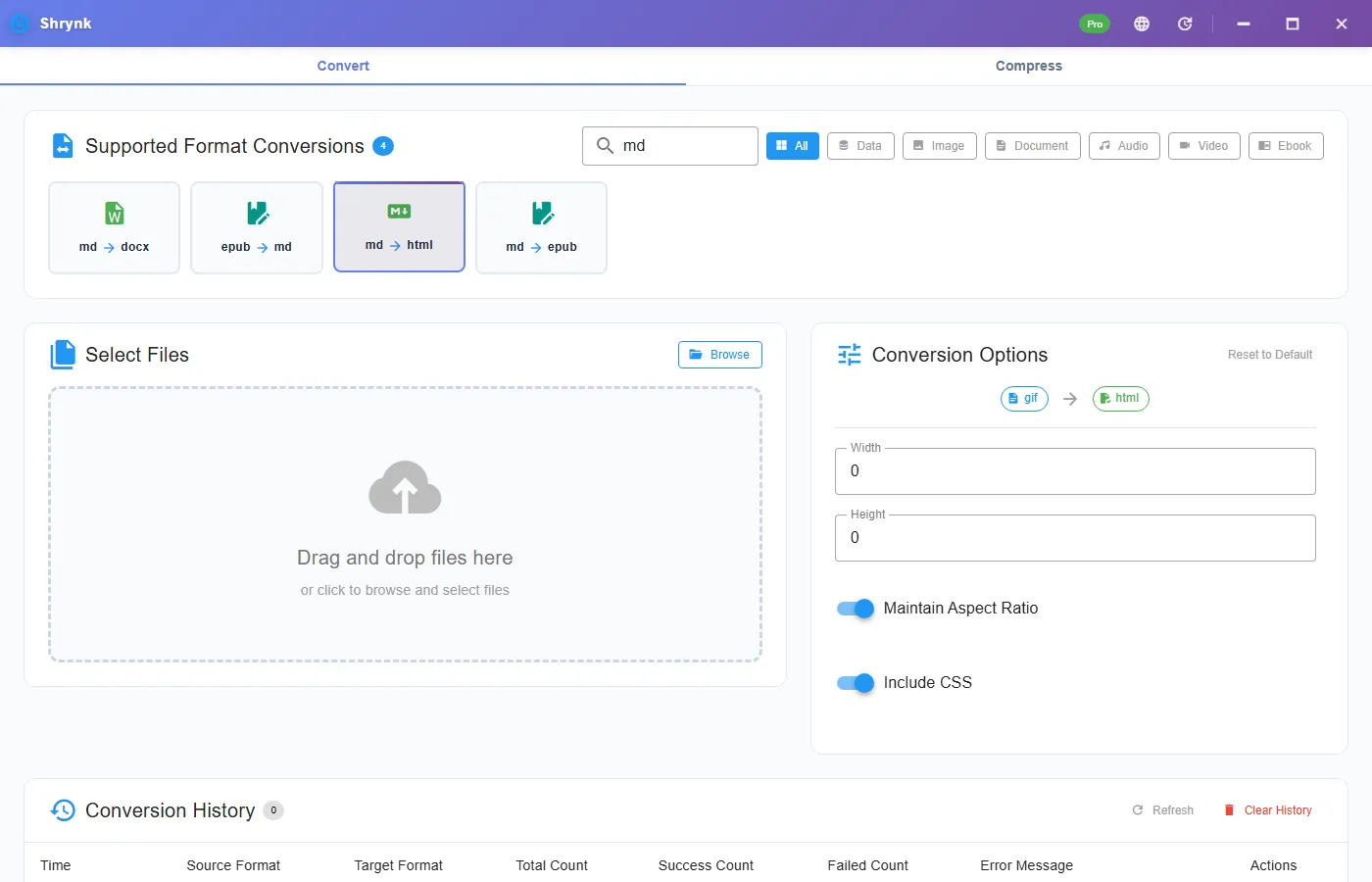
On Markdown → HTML the panel has a boolean, default on:
- On: the file embeds a small default stylesheet. Double-clicking it in Explorer looks like a page, not a wall of unstyled tags.
- Off: structure only. Use this when you will paste into a CMS that already has CSS. Extra embedded styles fight the host theme.
There is no “syntax highlighting theme” picker. Colored code still needs your CSS or a generator.
Steps
- Install Shrynk for Windows. First run.
- Convert → Document → md → html.
- Leave include CSS on unless you know the destination provides styles.
- Drop one
.md. Open the HTML in a browser. Check a heading, a list, a table, and a code fence.
Free is one file. A docs/ folder is batch (Pro). Same mapping every time; do not mix “with CSS” and “without” in one run if you will publish both.
Relative images and leftover front matter
If the Markdown has , the HTML will point at the same relative path. Copy the images folder with the HTML or the browser shows a broken icon. The converter does not inline every picture as a data URL.
YAML front matter (--- at the top of a Jekyll/Hugo file) is not a page title field in Shrynk. You will see those lines in the HTML unless you delete them from the .md first. That is expected for a file converter, not a bug in “title detection.”
When includeCSS is on and you paste into WordPress or Notion, you can get double margins and a foreign font. Turn the option off, convert again from the .md, and paste the second file. Do not hand-delete the <style> from a styled export unless you know what you are keeping.
What this will not do
- Markdown → PDF on the desktop. Print from the HTML or Word if you need paper.
- A multi-page site with a sidebar.
- Compile Mermaid or custom shortcodes into diagrams.
FAQ
Is Markdown-to-HTML the same as a static site generator?
No. One file in, one HTML out. A generator builds a site.
Will fenced code blocks and tables work?
Yes for GFM. Colors and borders still need CSS unless includeCSS is on.
What does include CSS do?
Embeds a basic stylesheet (default on). Turn off for CMS paste.
Batch-convert a folder of Markdown to HTML: download Shrynk. Free install. $9 one-time for unlimited batches.