Convert XML to JSON When an API Still Speaks Tags
A vendor export, an RSS file, or a SOAP leftover is XML. Your script wants JSON. “XML to JSON” is a structural translation, not a pretty-print of invalid markup. If the file does not parse, Shrynk stops. It will not tidy HTML5 or invent a schema from a Word document saved as .xml.
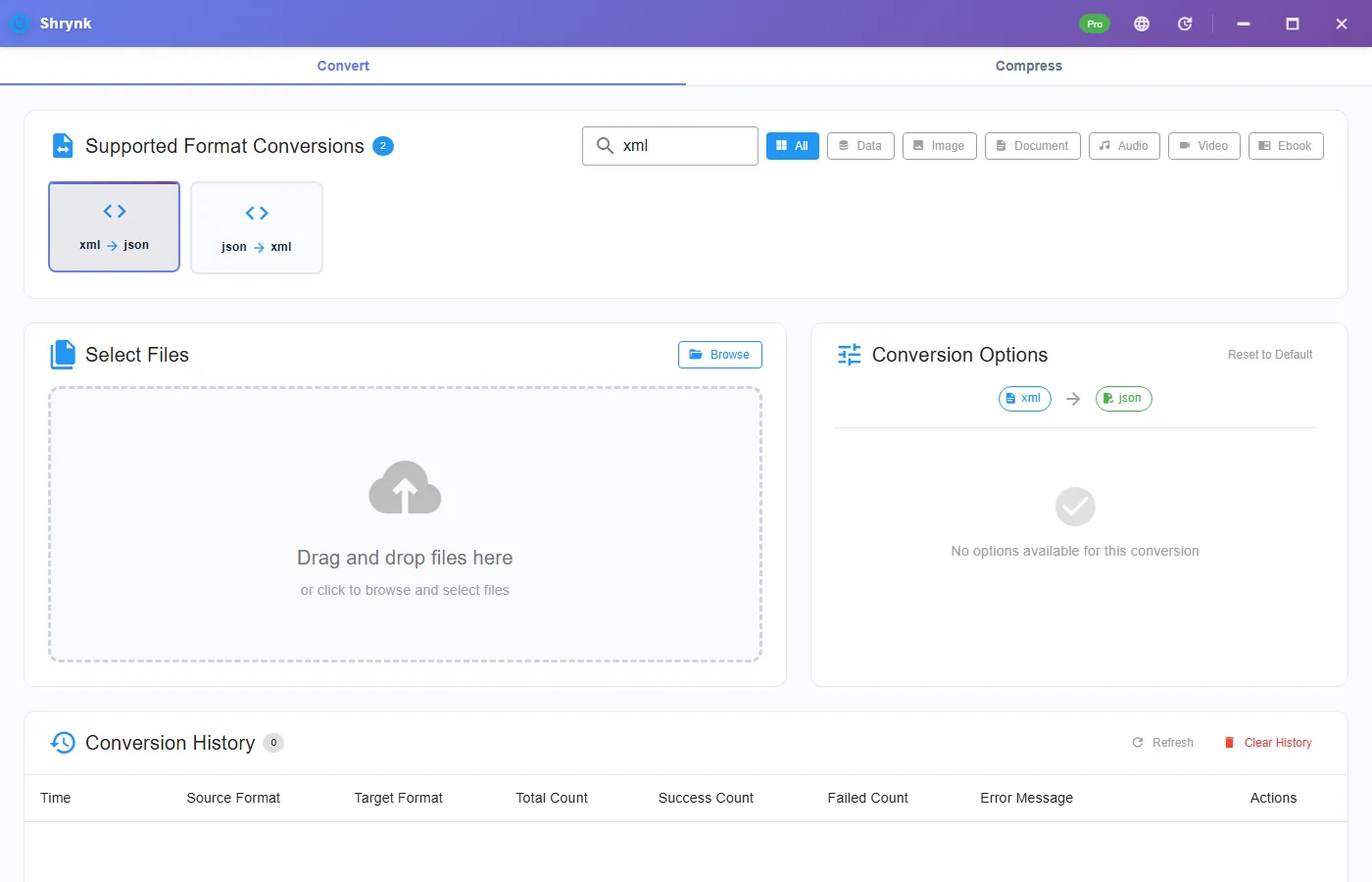
Cards: xml → json and json → xml. No extra options on either. Delimiters live on JSON to CSV, which is a different job.
What the JSON will look like
| In XML | In JSON |
|---|---|
Attribute id="3" | "@id": "3" |
| Text-only element | A string (trimmed) |
| Element with children and/or attrs | An object |
| Two or more siblings with the same tag | A JSON array |
| Mixed content (text + child tags) | Text kept when non-empty; this is not a full mixed-content DOM |
| Comments, processing instructions | Dropped. Do not expect them back. |
Namespaces: local names win in the keys you see. Do not expect a faithful xmlns round-trip for a signed SOAP envelope. If you need bit-identical XML, do not convert.
A snippet you can verify
<users>
  <user id="1">Ada</user>
  <user id="2">Bob</user>
</users>
After xml → json you should see user as an array of two objects, each with @id and text (or a content field, depending on how mixed nodes collapse). If you only get one object, you only had one user. Convert back with json → xml and diff: comments will be gone; attribute order may change. That is a successful structured convert, not a failed byte clone.
Steps
- Confirm the file opens as XML in a browser or editor (one root, no HTML soup).
- Install Shrynk.
- Convert → Data → xml → json.
- Drop the file. Open the JSON. Search for
@to see attributes. Search for[to see repeated tags.
Free = one file. A folder of nightly vendor XML is Pro. The browser preview does not convert XML. First run.
JSON → XML
Use this when a legacy SOAP stub wants tags again. Objects become elements; arrays become repeated children; keys that start with @ aim to come back as attributes. A JSON file that is a naked array may need a wrapper in the other direction — if convert fails, wrap once in an object. We do not offer a “root element name” dropdown.
Failures that look like bugs
- Parse error on an “XML” export from Excel. Spreadsheet XML / HTML tables are not this. Save real XML or use CSV.
- Lost comments / CDATA personality. Expected. Content should remain; decoration will not.
- Huge file, empty feeling JSON. The XML was mostly namespaces and empty wrappers. Look at the first object; it may be honest and ugly.
What this will not do
- XSLT, XSD validation, or SOAP signing.
- HTML5 repair.
- JSON to CSV in the same click — second pair, and only if tabular.
When not to convert
Signed documents, SAML metadata you must keep byte-identical, and Office “XML” that is actually a zip of parts: leave them. A round-trip will drop comments, reorder attributes, and flatten namespaces. If a partner’s hash check matters, send the original XML.
RSS / Atom: these are XML and usually convert. You get a JSON object with item or entry as an array if there are multiple. That is a fine way to peek at a feed. It is not a feed reader and will not resolve rel=enclosure downloads.
SOAP: the envelope becomes a deep object with @ attributes. Useful to see the payload. Useless as a drop-in for a typed client. Do not expect this JSON to drive a production SOAP call without a real stack.
HTML saved as .xml from a browser: parse errors. Run tidy or use a browser “save as XML” that actually is XHTML, or give up and copy the table to CSV. We will not scrape.
Large exports (100MB+): the converter reads the file and builds a tree. That can use a lot of RAM. Slice the vendor file if you only need one <batch>. Free is one file so you can test a 50-line sample. After you have JSON, if you need Excel, only then use json → csv — and only if you now have an array of objects, not a single SOAP tree. Data pairs.
A second check file (attributes + repeats)
Save this as check.xml and convert:
<catalog>
  <book isbn="1"><title>Ada</title></book>
  <book isbn="2"><title>Bob</title></book>
</catalog>
You want book as an array of two objects, each with @isbn and a title. If book is a single object, you only had one book. If there is no @isbn, you are looking at a different converter or a pretty-printer that ate attributes. Round-trip to XML and you should still have two books; comments you add in the JSON will not become XML comments.
Vendor files with a BOM or UTF-16: if parse fails, open in an editor and save UTF-8 XML. We are not an encoding guesser on this pair (encoding convert is txt → txt on the data mesh, a different card). Do not pass a .docx or .xlsx renamed to .xml. Those are zips.
After you have JSON, pretty-print in an editor. If the file is one 40MB line, that is still valid JSON. Excel will not open it — use json → csv only when you actually have rows. A SOAP tree is not rows. Convert docs.
DTD / external entity references: do not feed untrusted XML from the internet into any local tool you do not understand. Convert files you produced or a vendor sent on purpose. This page is a format guide, not an XXE workshop. If parse fails on a file with a DOCTYPE pointing at a network DTD, strip that in an editor you trust or ask the vendor for a standalone export. Then convert again from the cleaned file, not from a half-saved pretty-print that lost a closing tag.
FAQ
Attributes?
Keys with an @ prefix.
Need rows in Excel?
XML → JSON, then only if the JSON is a list of objects, JSON to CSV.
YAML?
json ↔ yaml on the data mesh, no options. Data table.