Convert MP4 to GIF Only When the Destination Refuses Video
Discord, Slack, and X will play a short MP4. Email and a surprising number of “meme upload” boxes still want .gif. Going MP4→GIF is a downgrade: 256 colors per frame, no real audio, and a file that often grows. Do it because the box said GIF, not because you think GIF is “the web format.”
Shrynk registers both directions. GIF to MP4 is the size win. This page is the stubborn CMS.
Keep MP4 unless you must
| Keep the MP4 | Make a GIF |
|---|---|
| Chat apps that play inline video | A form that lists GIF and not MP4 |
| Anything with audio you need | A silent loop under ~8 seconds |
| A 30-second screen recording | A 2-second reaction you will not resize up |
Audio is dropped. If the joke is a line of dialogue, GIF is the wrong container. Extract the audio separately if you need both — they will not stay in sync as one GIF.
The only two knobs: fps and width
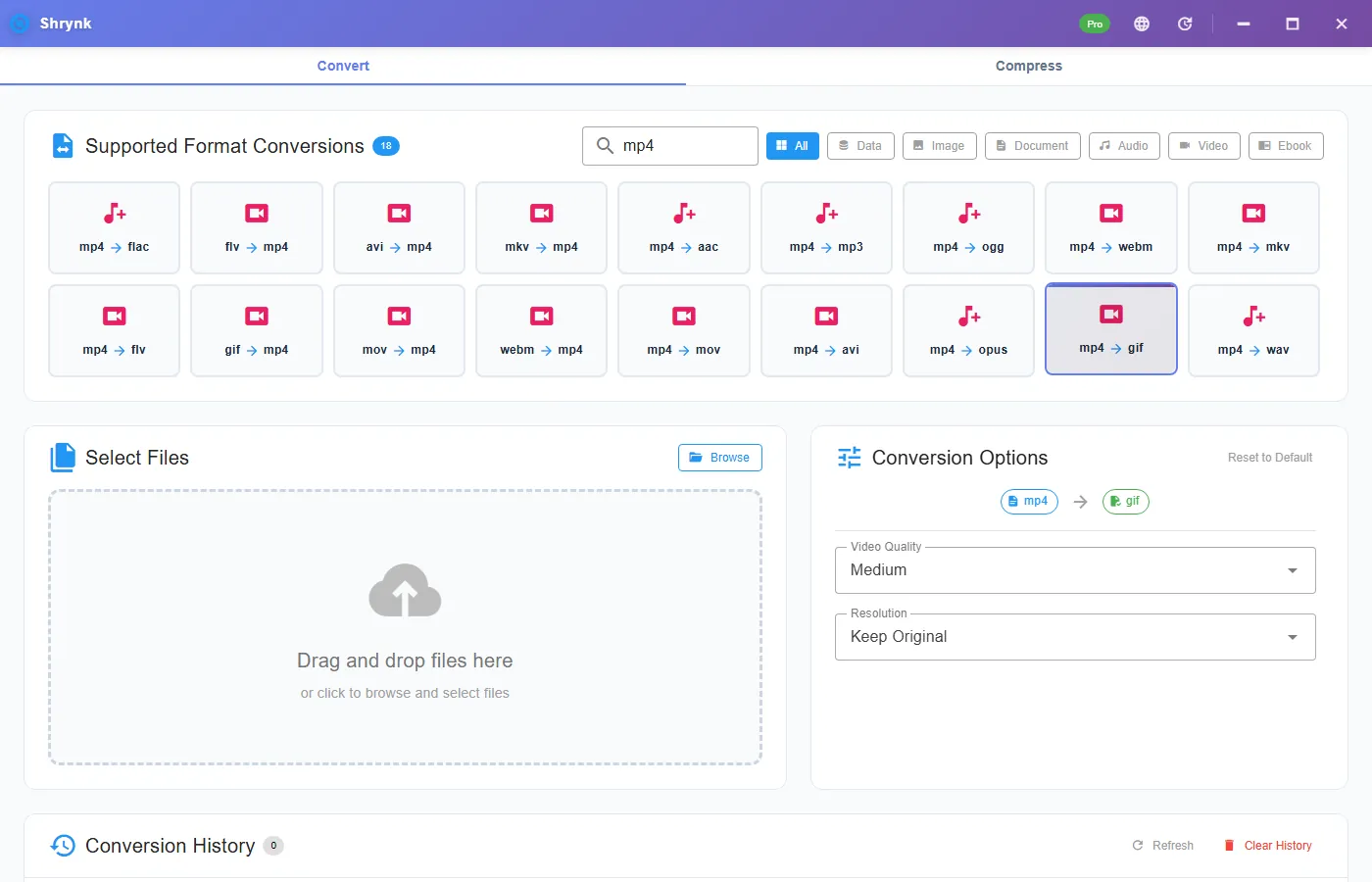
On mp4 → gif the panel is not the video quality dropdown you see on mkv→mp4. It is:
- fps 1–30, default 15.
- width (scale) 160–1920, default 320. Height follows.
Default 15 / 320 exists so the file does not explode. A 1080p source dumped to 1920-wide 30 fps GIF is how people create an 80MB “meme” that Gmail blocks. Raise width until text is readable. Raise fps only if motion strobes. Do not max both “to be safe.”
Steps
- Trim the clip before convert if you can (phone editor, or a real cutter). This pair does not expose start/end time.
- Install Shrynk.
- Convert → mp4 → gif. Not Compress. Compress writes MP4.
- Start at 15 / 320. Run. Open the GIF. If type is mush, width 480 or 640. If motion strobes, fps 20 — then stop.
- If the GIF is still huge, shorten the source and run again. Do not GIF→MP4→GIF to “optimize.”
Free = one file. The browser compressor will not emit GIF. First run.
Why colors look dirty
GIF is 256 colors per frame. Gradients and faces posterize. That is the format. A screen recording of a photo will look worse as GIF than as MP4. A few-color UI pointer can look fine. If the clip is photographic, fight the CMS or send MP4.
Failures that look like bugs
- 80MB output. You raised fps and width. Reset to 15 / 320 from the original MP4.
- No sound. Expected.
- Only part of a long video. You may have hit memory/time on a huge source. Trim first. This is not a 2-hour encoder.
- You clicked gif → mp4 by mistake. Opposite pair. Check the card arrow.
What this will not do
- Keep audio.
- True alpha stickers (GIF transparency is a single key color, not a nice hole).
- In-app trim / crop / captions.
Do the math before you max the sliders
A 10-second clip at 15 fps is 150 frames. At 320×180, each paletted frame is small; the GIF might be 1–4MB. At 1280×720 and 30 fps you have 300 frames of HD palette data. That is how you get 40–80MB and a Gmail bounce. If the CMS cap is 5MB, stay near 320–480 wide and 10–15 fps, and trim the clip to a few seconds first.
This pair does not expose start/end. Trim in the phone editor, Clipchamp, or any cutter, save a short MP4, then convert. Converting a 3-minute screen recording “to pick a moment later” is how SSDs fill up.
Email and Teams: many tenants block GIF over a few megabytes or strip animation. Test one GIF to yourself before you send the client the only copy. If they can take MP4, send MP4. This page exists because some cannot.
Loop: GIF players loop. That is the feature the CMS wanted. It is also why a 15-second GIF of a talking head becomes torture. Keep GIF under ~8 seconds unless they asked for the whole take.
After a too-big GIF, do not run gif → mp4 and back. You pay 256 colors twice. Go back to the MP4, reset fps/width, convert once. Free is one file so you can iterate on the same source. The Compress tab will not emit GIF; it emits MP4.
Where GIF still wins (rarely)
Inline in an email template that strips <video>. A CMS media library from 2014. A Slack custom emoji pipeline that only accepts GIF (and then you want 128×128, not 320 — resize the MP4 first or set width 160, the minimum on this slider). If Slack wants an emoji, 160 and a 2-second source. 320 is already large for that.
Transparency: GIF can have a single transparent color. This encode is a video flatten, not a sticker pipeline. Do not expect a clean hole around a subject. For stickers stay on a designed GIF or a WebM/APNG stack we do not sell here.
Compare one frame: export a still from the MP4 (phone screenshot is fine) next to the GIF at the same width. If the GIF’s face is a watercolor, you needed MP4 and a different CMS. If the GIF is a few-color UI pointer, you are in the happy path. Iterate fps/width on the original MP4 only. Convert vs the site compressor: the site will not write GIF.
A 3-second reaction at 15/320 is the intended job. A 45-second screen lecture as GIF is a mistake even if the CMS allows it. Split the lecture or send MP4. If they insist on GIF for a long take, they will get a huge, dirty file and that is the format — document the fps/width you used so the next person does not “fix” it by maxing both sliders. Write those two numbers in the ticket. The next convert should start from the MP4 with the same pair, not from the oversized GIF.
FAQ
Why is the GIF bigger?
Paletted frames vs H.264 residuals. Default 320-wide or it gets worse.
Default fps / width?
15 and 320. Raise one at a time.